Workflow · Reactions
Make POV reaction videos with a character you generated
One clip. Text that lands on the beat.
This workflow makes short reaction videos with a character you generated — no camera, no editor. It exists because of a flop. This creator spent a month posting captions over clips of a good-looking generated guy standing in a gym. It went nowhere. One static line over a person who isn't doing anything is read in half a second, and then there's no reason to still be there.
The video that broke through withheld something. A line the audience says about themselves sits on screen, the character reads it, reacts — and only when he lowers the phone and looks into the lens does the answer arrive. Same character, same 10 seconds, same tools. It became the account's best-performing post, from an account with single-digit followers.
Below is how it's built: one generated reaction clip, then on-screen text chained on in timed beats. At the end, the whole loop is packaged as an agent skill you can download and hand to Claude Code, because none of it needs a human once the taste is written down.
The output
Two videos. Nobody filmed anything.
The person doesn't exist. Neither clip was edited in a timeline — each one is a single generated take with text burned on in passes. Left is the cope reaction that outperformed everything else on the account by 2.7×. Right is the same machinery shaped as a text thread.
The shape
One format, two structures
Both are the same build — a continuous reaction clip with text arriving in beats. What differs is which piece of information you hold back, and for how long.
Cope reaction
quote → react → clear → answer
A line your audience says about themselves holds on screen in their own words. The character reads it, reacts, the text clears — then the answer lands as he looks into the lens. The viewer stays for the verdict.
Text-thread POV
message → message → message → punchline
Three or four short messages appear one at a time over a character on his phone. It reads like looking over someone's shoulder, and the last line is the punchline, so leaving early means missing it.
Step one
Generate the reaction, not the video
Start from a saved character so the same face carries the whole series, and describe only the scene — identity comes from the character's reference photos. What matters is that you write the arc into the prompt, in order: reads the phone, eyebrow raise, lowers the phone, looks into the lens. Those four moments are the timing grid you'll hang text on in step two.
Two phrases in the prompt do most of the work. mouth closed the whole time — on a silent clip a mouth caught mid-word reads vacant, and this is the single most common reason to regenerate. And one continuous locked-off scene — a cut halfway through throws off the timing of every text beat that comes after it.
Sitting on a dark couch at home in a black t-shirt, holding his
phone up and reading it, gives a small amused eyebrow raise and a
slight disbelieving head shake, then lowers the phone and looks
directly into the camera with a calm confident reassuring
expression, warm lamp lighting, medium shot from chest up with
headroom above and below, mouth closed the whole time, silent,
not speaking, no talking, no scene cuts, one continuous
locked-off scene
Keep the good takes. A clean read → react → look-at-camera clip is worth more than any finished video made from it: every future reply to a comment is two caption passes over the same footage, with nothing new to generate.
Step two
Chain the text on, one beat at a time
A render burns one caption. The trick is that the render's output is an ordinary video in your library — so you feed it straight back in as the input for the next caption, each with its own time window on screen. The earlier text is already baked into the pixels, so it stays put, and non-overlapping windows mean only one beat is ever on screen.
Four messages is four passes. Here are the four from the text-thread POV above, exactly as they land.
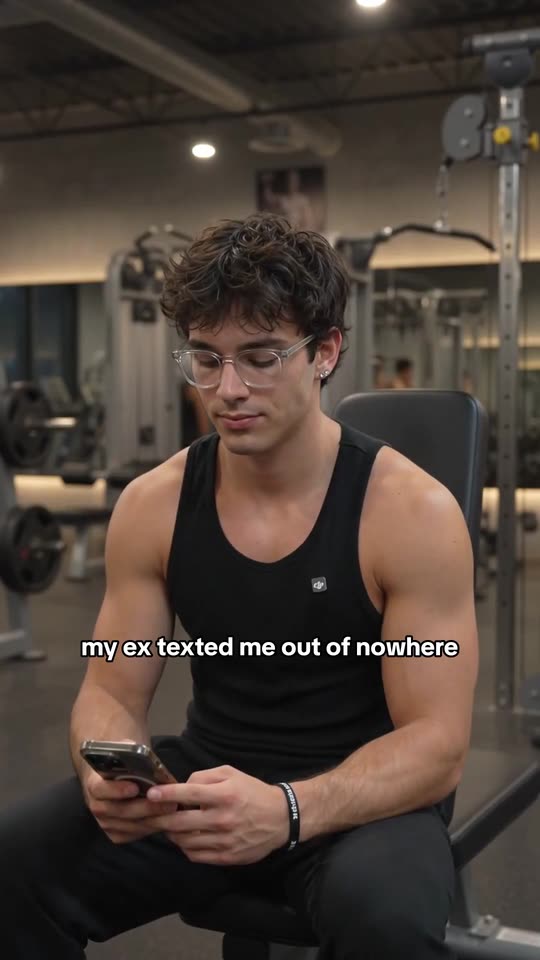
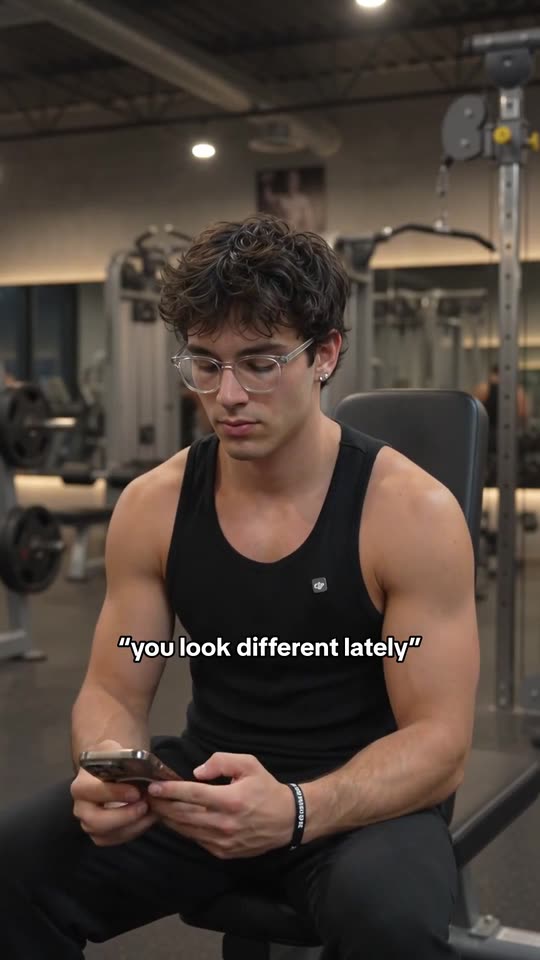
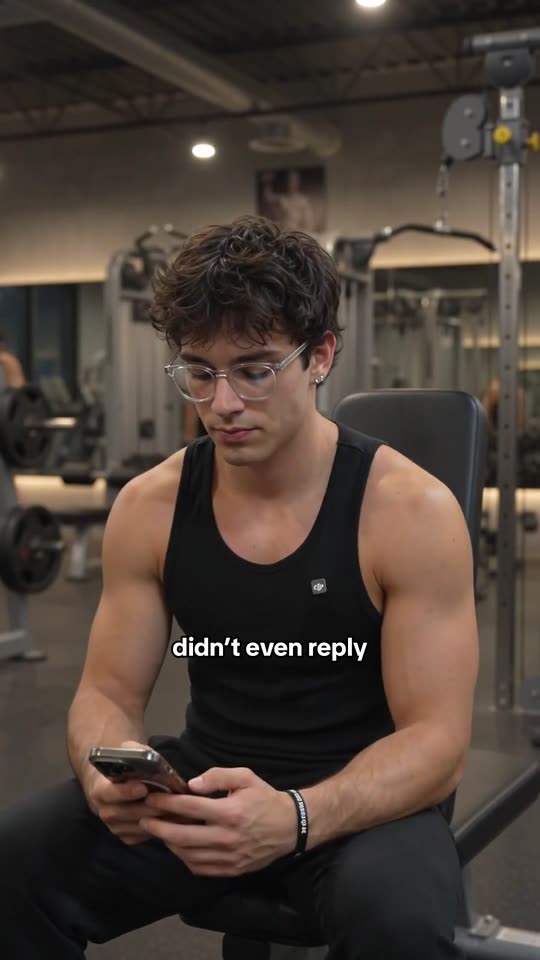
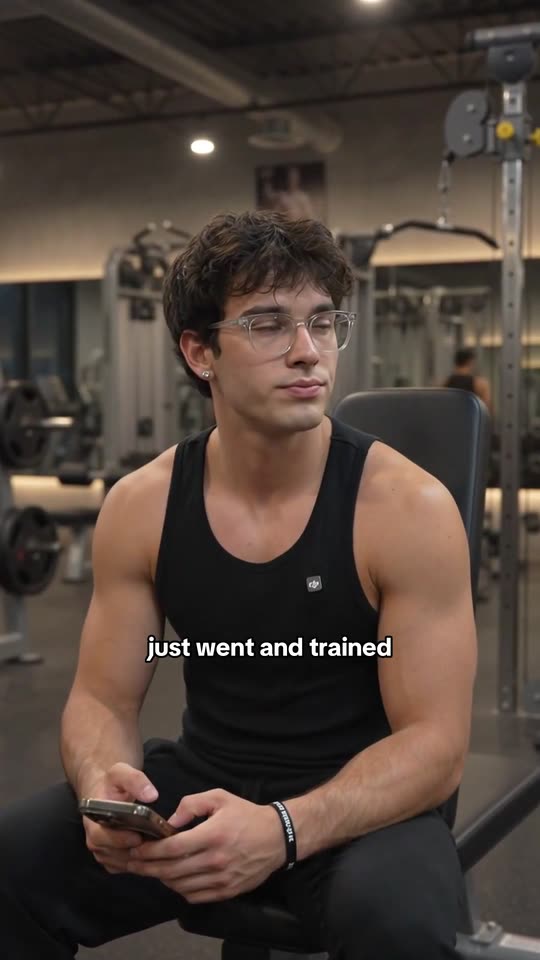
Same position every time, so it reads as a rhythm rather than four unrelated captions.
// Pass 1 — the cope, over the base clip.
create_video({
  type: "hook_demo",
  hookId: BASE_CLIP,   // no demo = caption only
  caption: "“i’m 5’9 it’s over for me”",
  captionWindow: { startMs: 0, endMs: 4500 },
  captionStyle: {
    treatment: "outline", fontScale: 0.85,
    font: "classic", x: 0.5, y: 0.16,
  },
})
// poll get_creation -> resultVideoId = R1

// Pass 2 — the answer, over R1, no overlap.
create_video({
  type: "hook_demo",
  hookId: R1,          // last render, new input
  caption: "nobody is measuring you bro",
  captionWindow: { startMs: 7000, endMs: 10000 },
  captionStyle: {
    treatment: "outline", fontScale: 0.85,
    font: "classic", x: 0.5, y: 0.72,
  },
})
// -> R2 is the finished video
Four constraints keep this from breaking, and all four fail quietly rather than loudly:
- Windows never overlap. Two beats sharing a millisecond means two lines on screen at once.
- One line, 30 characters. Text wraps around 33, and a wrapped tail sitting alone on line two looks broken.
- No newlines, ever. There's no way to force a break; a literal one crams a second row inside a single draw and throws off the centering.
- Text never over the face. Above or below it, in the darkest band that clears it — and if the shot is too bright, move the text rather than putting a box behind it.
Step three
Land the payoff on the beat
The first build of the cope reaction put the answer on screen at 5.2 seconds — the dead middle of the clip. His phone was still raised there, so the line collided with his hand and clipped its own first word. Moving it to 7.0 seconds, the exact moment the phone comes down and his eyes find the lens, fixed the collision and the punch at the same time.
Which is the argument for the last step: extract a frame and look at it, at each window boundary rather than mid-window. A render that is visually wrong still reports itself as completed, so the only reliable check is your own eyes on the pixels.
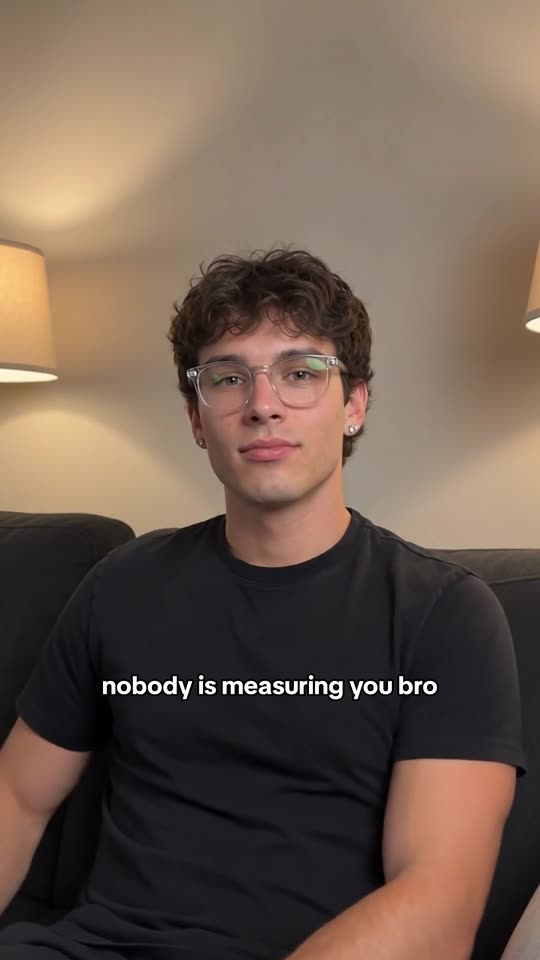
Phone down, eyes on the lens, text clear of both.
The taste layer
Four rules the winner obeyed and the flops didn't.
The tools are identical either way. Everything that separated the video that worked from the month of videos that didn't is in these four constraints.
Withhold something
A single caption over a person standing still gives the viewer nothing to wait for — they've read it in half a second and they're gone. Every beat in this format exists to delay one specific piece of information.
Quote the audience verbatim
The opening line goes in quotation marks, in their words, not yours. “i’m 5’9 it’s over for me” is a sentence someone has typed about themselves. That's the recognition that stops the scroll.
Reassure, don't motivate
Second-person and calm outperforms hype here by a wide margin. The character reads as a friend answering you, not a coach yelling at you. “nobody is measuring you bro”, not “GET IN THE GYM”.
Land the payoff on the footage
The last beat has to arrive on a physical moment — the phone coming down, the eyes meeting the lens. Timed to the middle of the clip instead, the same line reads flat and collides with whatever the hands are doing.
Take it with you
The whole loop, as one file.
Everything on this page — the prompt, the chaining pattern, the timing grids, the caption rules, the verification loop, and the failure modes that cost real renders to find — is written down as an agent skill. Drop it in your project and your agent knows the format. Then you just describe the cope.
S=pov-reaction-video
mkdir -p .claude/skills/$S
curl -o .claude/skills/$S/SKILL.md \
https://postripple.app/skills/$S/SKILL.md> make a cope-reaction video:
"i'm 5'9 it's over for me"
Reading skill: pov-reaction-video
1. list_characters -> Brok (ready)
2. generate_video -> base clip [40s]
3. frame-check -> mouth closed, ok
4. create_video #1 -> cope, 0-4500ms
5. create_video #2 -> answer, 7000ms+
6. frame-check -> clears face + phone
Done. 1 generation + 2 creations.What's inside
- The base-clip prompt that produced the winner, reusable as-is
- The render-chaining pattern for sequential text, with real parameters
- Beat-timing tables for both structures
- The caption rules that silently break renders (no \n, ≤30 chars, one line)
- A brightness measurement for choosing where text goes
- The frame-by-frame verification loop, because the API reports broken renders as “completed”
It needs the MCP server — the way AI assistants connect to apps — and a saved character with reference photos. Everything else it resolves on its own.
By hand, too
Nothing here requires an agent
The agent is a convenience, not the mechanism. Every step exists in the studio: save the character, generate the clip, and burn each caption in the builder with its own window and position. The skill just means you stop retyping the rules.
One thing worth testing yourself either way — on this account the file posted by hand in the app comfortably beat the same file pushed through the API, and the same video did far better on Reels than on TikTok. So render it here, then check your own numbers before you automate the last tap.

Characters carry reference photos, so the face survives the series.
Common questions
Reaction videos, no camera
How do you put text on a video one line at a time?
Chain the renders. Post Ripple burns one caption per render, but each finished render is an ordinary library video. So you feed the result back in as the input for the next caption, and give each caption its own time window, with no overlap. Earlier text is already baked into the pixels, so it persists, and only one beat is ever on screen at a time. Four passes over a 10-second clip show no visible quality loss.
Do I need a green screen for a reaction video?
No, and for this format you specifically don't want one. A green-screen composite looks like a composite. Generating your own character's reaction footage looks like a real post. The character stays the same across a whole series, and you can reuse the same clip for every future reply.
How do you keep the same person across every video?
Save them as a character. Post Ripple characters carry reference photos, so every clip you generate renders the same face, glasses, hair, and build. Check that the character reports consistency “reference” rather than “descriptor only” — a text-described subject drifts between clips, which is fatal for a recurring series.
What makes a reaction clip look AI-generated?
Two things, both fixable in the prompt. An open mouth mid-word, which reads vacant on a silent clip — ask for lips together the entire time. And a scene cut or a sweeping camera move, which real phone video doesn't have — ask for one continuous locked-off scene. Fix those and the clip passes.
Can an AI agent make these end to end?
Yes, and that's the point of the skill on this page. The whole loop is three tool calls plus a verification step, so it's written down once as a skill file your agent loads. You describe the cope or the thread in a sentence, and the agent generates the clip, chains the text beats, checks the frames, and hands you a finished video.
How much does one video cost to make?
One video generation credit for the base clip, plus one creation credit per line of on-screen text. A four-message text-thread POV is one generation and four creations. The base clip is the expensive part and it's reusable — once you have a good reaction take, every follow-up video over it is just caption passes.
Should the agent post it, or should I?
Test both on your own account. On the account behind this workflow, the version finished and posted by hand in the app substantially out-performed the same file pushed through the API, so the agent renders and the human taps post. Your mileage will differ by platform and account age, and the engagement tools will tell you which is which.