Workflow · Slideshows
Turn a hand-made carousel into a brand format
Design it once. Then just ask for the next post.
Two Instagram accounts. Both post long picture carousels. Both look sharp. And both took all day to make.
Every post got built one slide at a time in Claude Design. Look at the last post. Match the fonts. Nudge the text. Draw it again. Then do that nine more times. About eight hours for eight posts.
The design was never the problem. Doing it over and over was. So we saved each account's own look one time, as a format: the colors, the words that repeat, the numbers, and the slides themselves. Now a new post is one sentence to an AI agent. Everything below is real output from those two formats.
Hosted
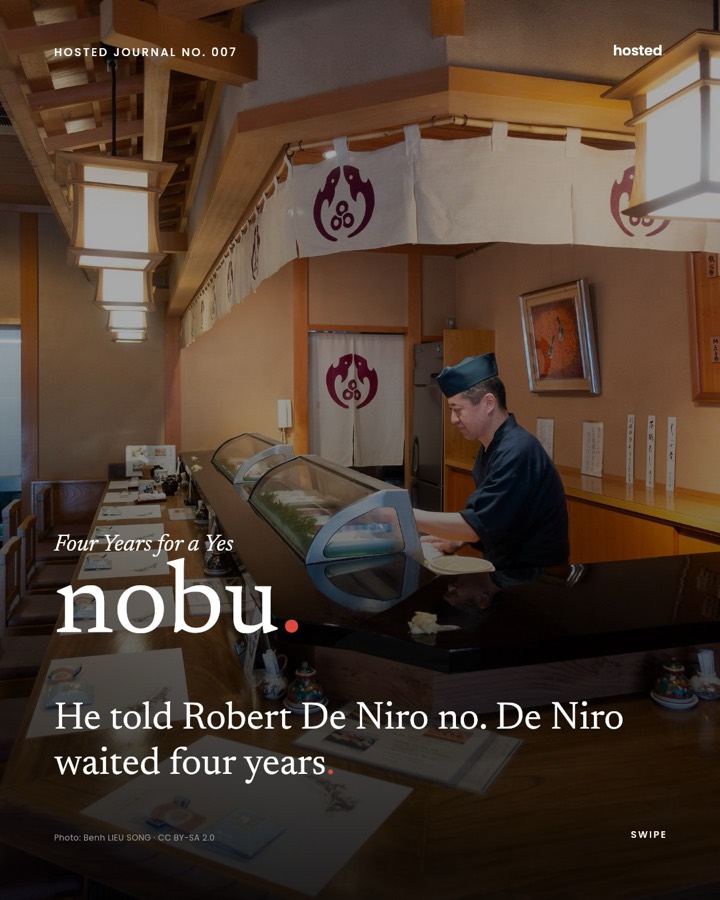
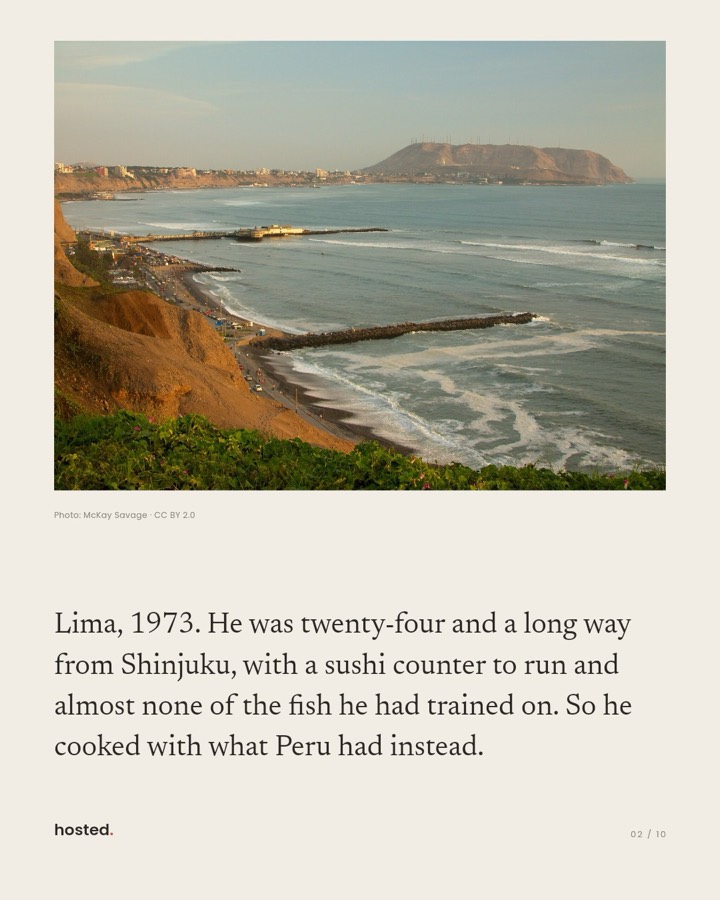
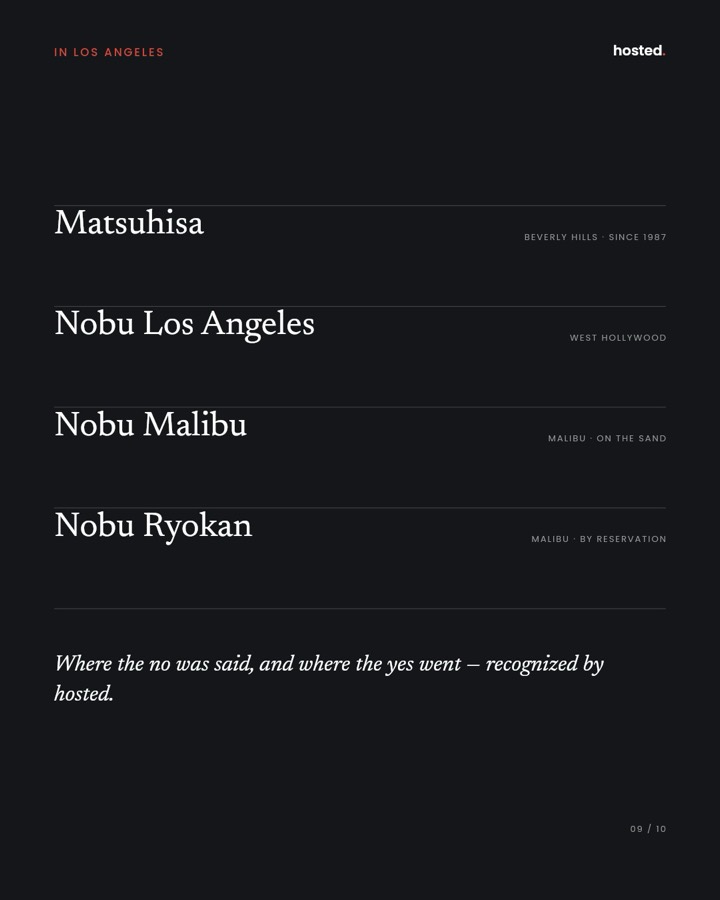
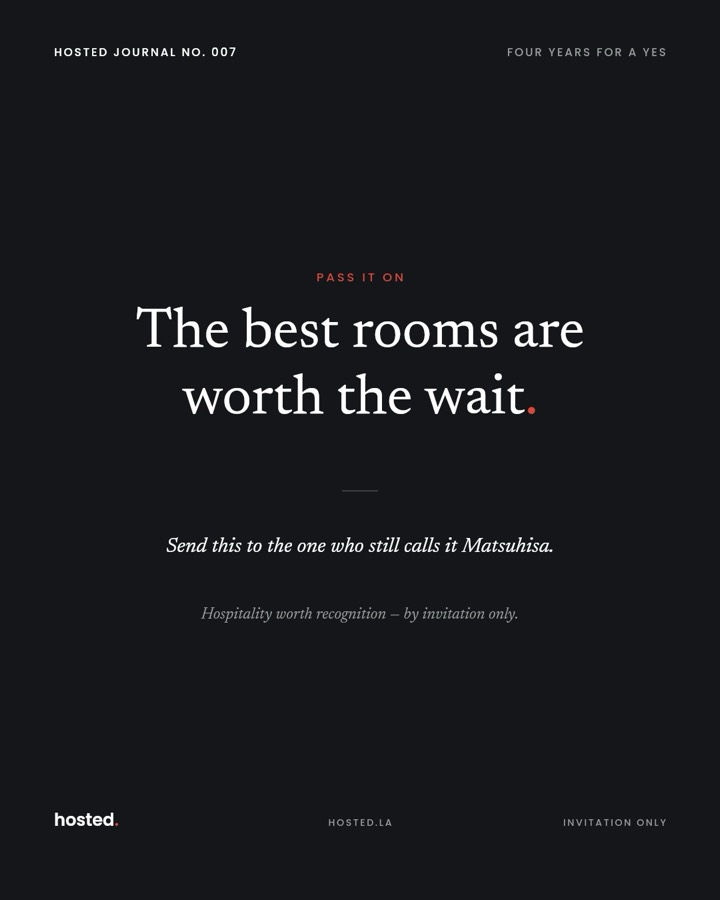
@hosted.la HOSTED JOURNAL No. 007 · NobuA private LA dining club. Cream pages, one red accent, all the text down the left side, and five numbered series running at once.
Listabid
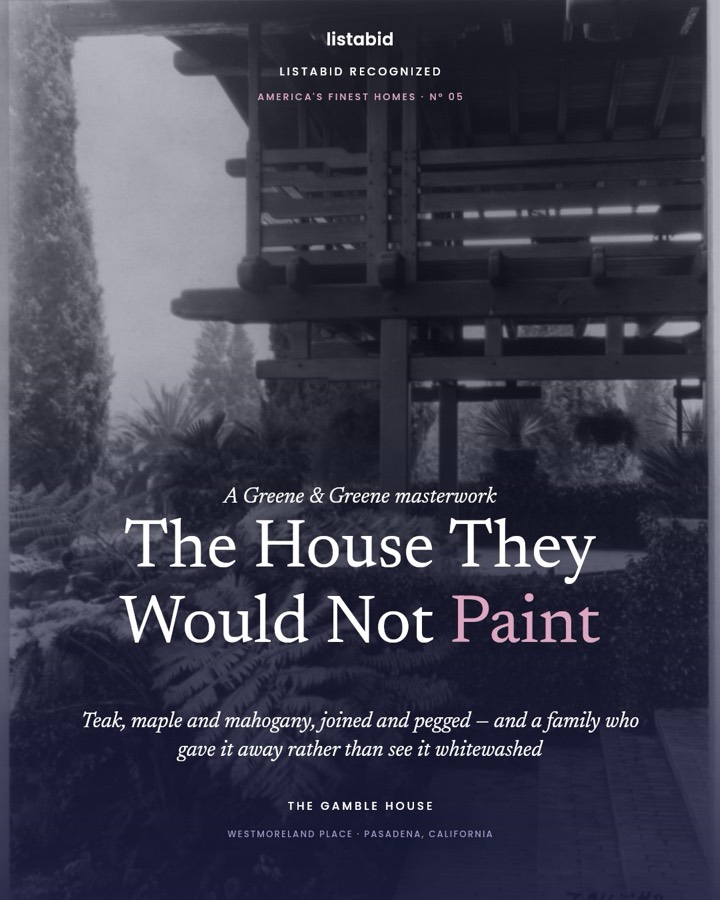
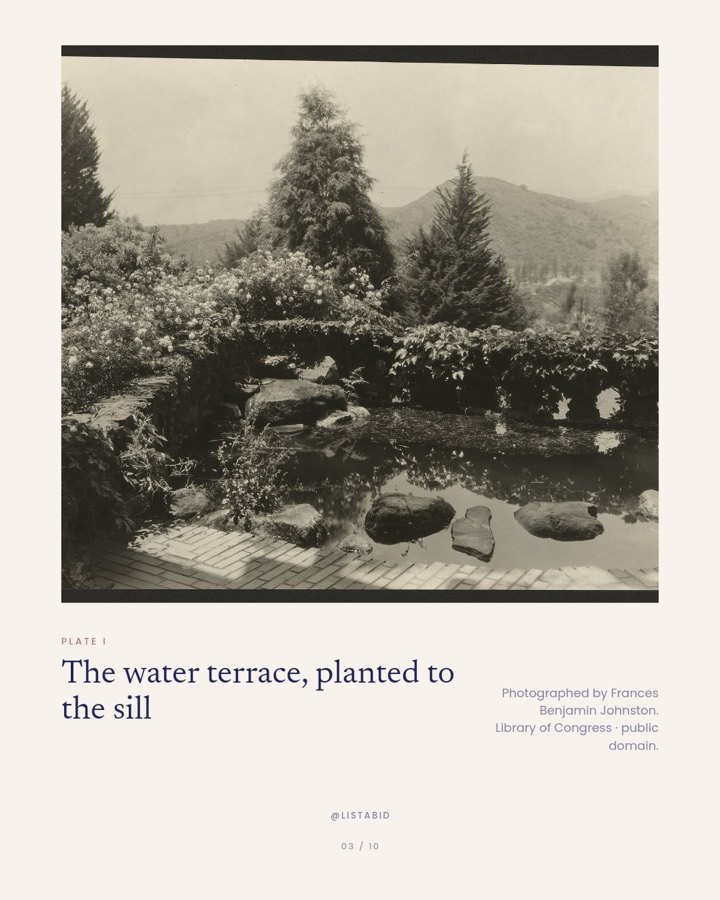
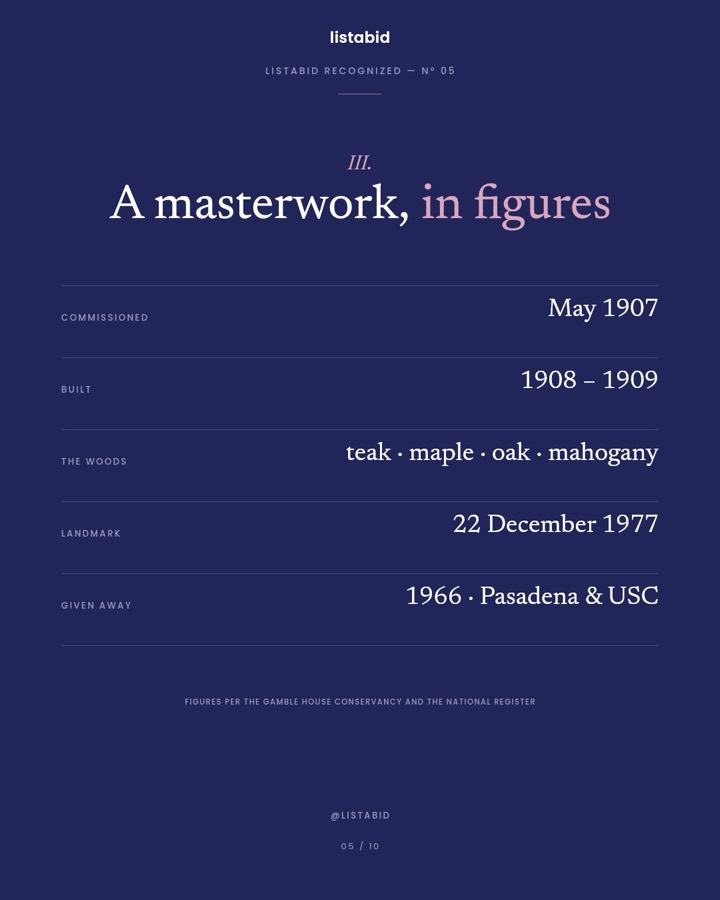
@listabid LISTABID RECOGNIZED N° 05 · The Gamble HouseA real estate marketplace. Navy and pink, text down the middle, chapters in roman numerals, a table of numbers, and an orange button.

The idea
What a format holds
Everything that stays the same on every post, kept in one place. Then a post only carries the parts that change.
Colors
Colors you name, not paste
Your slides don't hold codes like #22255A. They hold names, like $ink and $accent. Change a color once and every slide changes with it. It's also how one set of slides can serve two brands that look nothing alike.
Repeat text
The words you'd retype forever
Your name. Your sign-off. The small line at the bottom of every last slide. Saved one time, filled in for you, never typed again.
Series
Numbers that count themselves
Hosted runs five series. Listabid runs two. Each one keeps its own number. Make a post and it takes the next one. Nobody counts up to 007 by hand.
Slide designs
Your own slides, yours to change
Where the words sit. How big they are. Where the photo goes. Which thin lines to draw. Listabid's table of numbers and Hosted's list are the same few parts, put together in different ways.
Step one
Let Claude Code into your workspace
You do this once. Make a key in Post Ripple under Settings → API Keys, then paste one line into Claude Code. The server runs on your own machine. There's nothing to host.
Now Claude Code can see your photos, your accounts and your formats, and it can build a post in one. You choose what the key may do, and you can switch it off any time. Claude Desktop, Cursor, Codex and opencode use a config file instead of a command — the docs have every one.
claude mcp add postripple \
  -e POSTRIPPLE_API_KEY=pr_... \
  -- npx -y @post-ripple/mcp@latest
Restart Claude Code and ask what's in your workspace.
Step two
Ask it to read the account you already have
You don't have to invent a look. You already have one, sitting in your own feed. Ask Claude Code to track the account and read the last few posts. It pulls every slide of every carousel, so it's looking at the real artwork instead of guessing from a description.
Then talk about what repeats. Which slides show up every time? Where does the text sit? What is the accent color doing? How do you write the issue number? Hosted writes NO. 007. Listabid writes N° 05. Small thing, but it has to live in your format.
> Track @listabid on Instagram and read
  their last few carousels. Tell me what
  repeats: the colors, where the text
  sits, how they number each issue.

⏺ postripple · track_account
⏺ postripple · list_tracked_posts
⏺ postripple · save_tracked_post_as_
    inspiration
⏺ postripple · get_inspiration  ×4
  → every slide of each carousel
Step three
Ask it to build the format once
Now say what your brand looks like. Claude Code starts from a ready-made format, so your workspace gets its own copy of every slide design — copies you're free to change. Then it sets your colors, your repeat text, and your series.
Need a slide nobody else has? It can build that too. Listabid's table of numbers — labels on the left, figures on the right, a thin line between rows, and rows that vanish when they're empty — is just a slide design. Nothing had to be added to the app for it.
You can also do every bit of this yourself. Open the format in Post Ripple and drag the text where you want it.
> Set that up as a brand format called
  Listabid. Navy #22255A, pink #DCA6C0,
  cream #F7F3EC, orange button. Two
  series: RECOGNIZED and LA ICONS.
  Build them a figures slide too.

⏺ postripple · list_post_templates
⏺ postripple · clone_post_template
  → my own copy of every slide design
⏺ postripple · update_post_template
  colors, repeat text, series
⏺ postripple · upsert_slide_layout  ×6
  → listabid-cover, plate, numeral,
    figures, quote, cta
Step four
Then just ask for the next post
Give it the photos and the words. That's the whole job. The format fills in the rest: the series name with its issue number, the slide counts, your name on all ten slides, and the footers.
The issue number moves up by itself, so the next one is N° 06 and nobody has to keep track. Slides are drawn on our servers. When they're done you can post them, or leave the whole thing as a draft and finish it in the editor.
Prefer to click? Start a new slideshow in the app and pick the format there. You get the same slides, ready to edit.
> Make a RECOGNIZED post about the
  Gamble House in Pasadena. Ten slides.
  Use these photos. Credit each one.

⏺ postripple · list_post_templates
  → recognized · next issue N° 05
⏺ postripple · import_image_from_url  ×7
⏺ postripple · create_from_template
  → 10 slides, status "rendering"
⏺ postripple · get_slideshow  ×3
  → status: "ready"

  LISTABID RECOGNIZED N° 05
  Next post is N° 06.
Where the hours went
The small stuff you stop thinking about
Most of those eight hours went here — little things a person has to remember on every single post.
Slide numbers count themselves
Type 04 / 10 on a slide and it's wrong the moment you move that slide. So we work it out while the slide is being drawn. It's always right.
Photos fit the space, not the screen
One slide shows a small photo on a cream card. Another fills the whole thing. The same photo works in both, because each slide crops it to its own frame.
Word-only slides don't ask for a photo
A list slide or a last slide is just words. Those designs say they need no photo, so nothing ever asks you for one.
Your colors get checked before we save
If a slide asks for a color name your format doesn't have, we refuse to save it. Otherwise you'd get white words on a cream page and only spot it later.
Straight about it
What it doesn't do
It doesn't write your posts. We looked up every fact in these two ourselves, and picked and credited each photo one at a time. A format makes the design repeat. The thinking is still yours.
Words go where the slide puts them. Text much longer than its space can run into the text below it. The editor shows you that while you're building, not after you post.
And a format takes real work up front — most of a day per brand, reading the feed and getting the slides right. It pays you back on the second post, and on every post after that.
Common questions
Your look, on repeat
What is a brand post format?
It's your look, saved. A format keeps your colors, your slide designs, and the order your slides come in. It also keeps the text that repeats on every post — your name, your sign-off, your footers — and the series number each post is up to. Once it's saved, a new post only needs photos and words.
Do I need an AI agent, or can I do it myself?
Either way works. You can do all of it in Post Ripple by hand: copy a starter format, drag the text where you want it, set your colors and series, then start a post from the format. The agent is just faster if you'd rather say what you want than drag it.
How does the AI agent connect to my account?
Through our MCP server — the way AI assistants like Claude connect to apps. Make an API key in Post Ripple under Settings → API Keys, then paste one line into Claude Code. Claude Desktop, Cursor, Codex and opencode use a config file instead; the docs have all of them. You pick what each key is allowed to do. Posting is off unless you turn it on, and every call is written to a log you can read.
Do I have to design the slides in code?
No. When you copy a starter format, you get your own copy of its slide designs. You change them in the app — drag the text, resize it, restyle it, move the photo frame, add or remove fields. An agent can also build a slide design for you if you'd rather describe it than drag it.
How is this different from making a normal slideshow?
A normal slideshow starts from one design and asks you to fill in every slide yourself. A format already knows your look. It takes the next issue number, adds your name and footers, counts the slides, and picks the right design for each one. You bring the photos and the words.
Can two brands share the same slide designs?
Yes, and that's the point of naming colors instead of pasting them. The same cream card slide comes out in Hosted's cream and red, or in Listabid's navy and pink. The only difference is the colors it looks up. A format can also keep slides nothing else uses.
What stops the agent making things up?
Nothing in the tool. That part is on you and on what you ask for. We checked every fact in these two posts against an original source, used only photos that are free to use, and credited each one on the slide it appears on. Anything we couldn't check, we cut. A format makes sure the design is right. It promises nothing about the words.
How long does a post take now?
The format is the one-time cost. Reading an account's feed and getting its design right took most of a day per brand. After that a post is one sentence, plus the time to find photos and write the copy. The design work doesn't come back, and that's the whole difference.